Company: Epic Games
Design Manager - Documentation
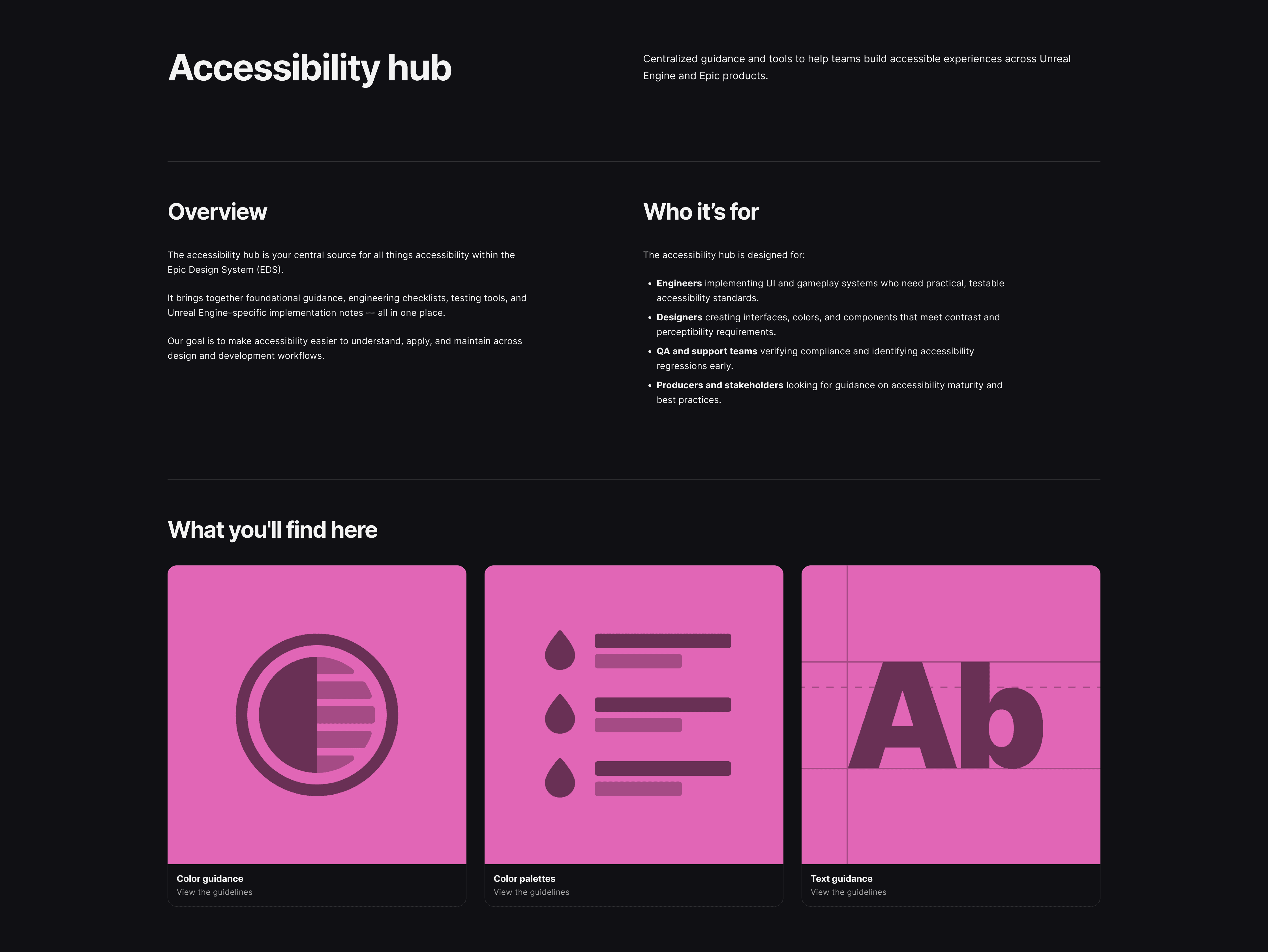
A centralized accessibility resource for Unreal Engine engineers — covering color guidance, accessible palettes, and text standards built from the ground up
Content design | Content strategy | Visual design collaboration
August 2025 - March 2026
Overview
The Accessibility Hub was built to close a gap that had real consequences for real people.
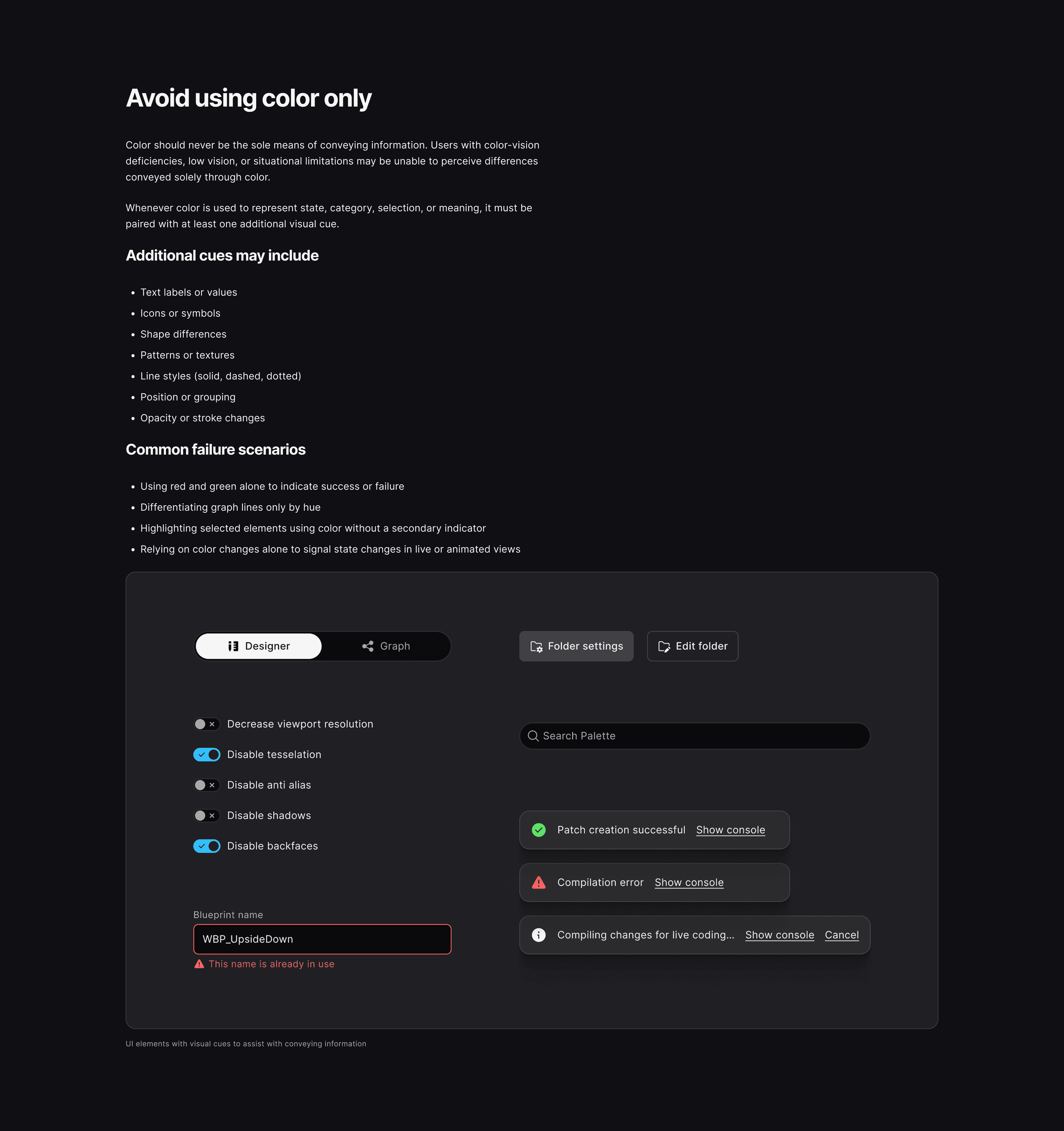
Unreal engineers building internal tools, debug views, and workflows under time pressure were defaulting to hard-coded visual styles — red-green indicators, low contrast palettes, and inaccessible text sizes. They were making judgment calls without a shared standard, creating barriers for users with color vision deficiencies and introducing accessibility risks that rippled out to licensees.
A technical lead at Unreal Engine brought that problem to the Epic Design System (EDS) team. This wasn't just a request to satisfy an internal documentation requirement.
Process
Phase 1
The project was scoped in two phases. Phase 1 focused on the highest-impact problems: color palettes, contrast guidance, text readability, and a checklist engineers could use without needing to research accessibility principles. The instinct, drawn from experience at other organizations, was that the first thing had to be easy to implement. If it wasn't, it wouldn't get adopted.
Information architecture
The hub was structured as a single destination on the EDS reference site — a shared entry point serving engineers, designers, QA teams, and producers. Keeping guidance unified rather than siloed by role was a deliberate decision. Separate sections for designers and engineers signal that accessibility belongs to one discipline more than the other. A unified structure with navigable sections gave everyone a way in without implying that the guidance wasn't for them.
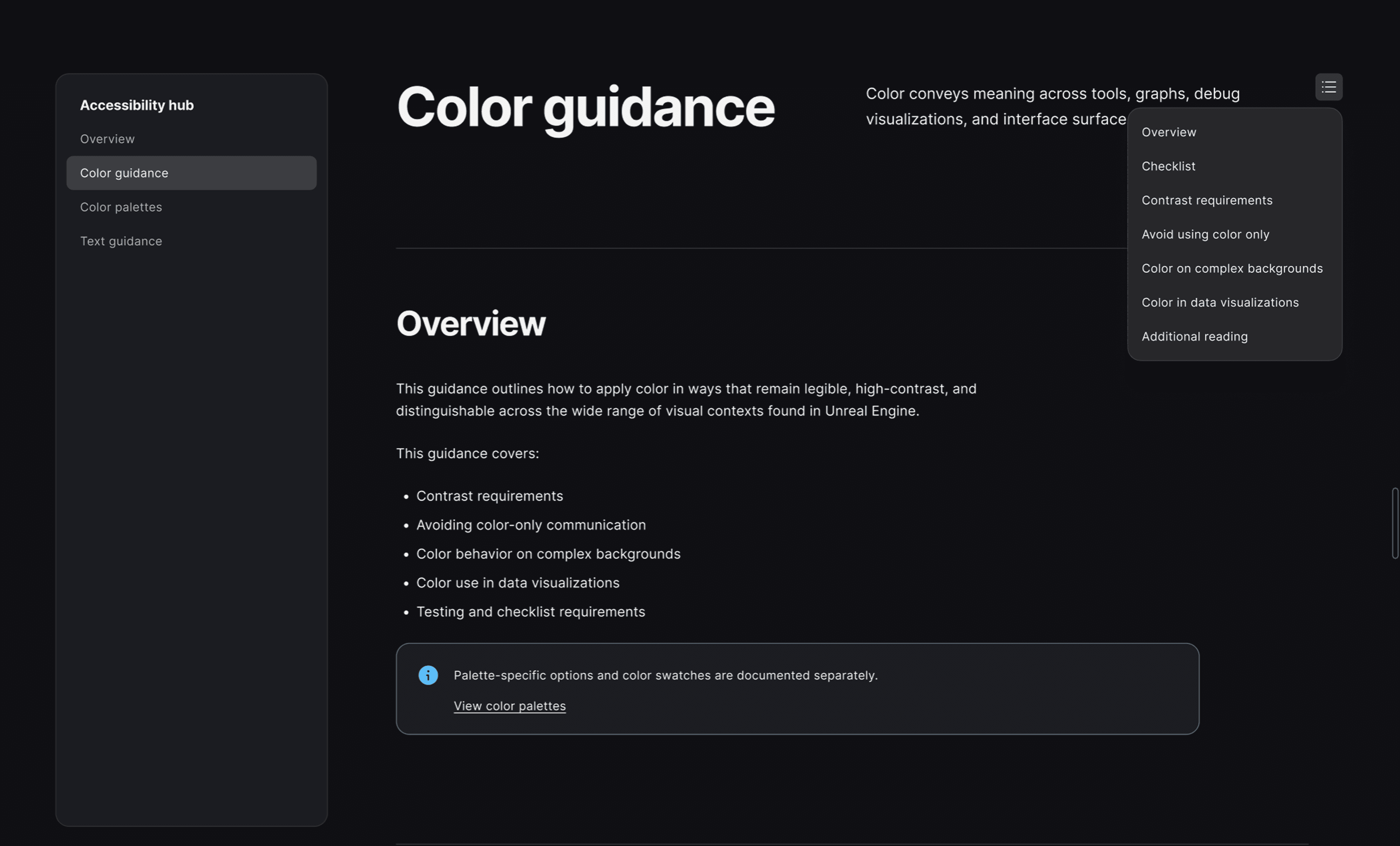
Navigable sections — a table of contents enabling quick-jump navigation
The content had to teach judgment, not just state rules
The documentation needed to explain why a recommendation exists and give engineers enough reasoning to know when and how to deviate from it appropriately. The same principle ran through every content decision. Good accessibility documentation doesn't tell teams what to do and stop there. It helps them understand why, so they can apply judgment when the rule doesn't fit.
An accessibility checklist
One of the earliest requests was to give engineers something they could reference without having to research accessibility principles from scratch. Not a comprehensive WCAG audit list. Something scoped, testable, and fast to apply under production pressure.
The checklist that shipped covered four areas: contrast, color-blind accessibility, background behavior, and data visualization. Each item was written as a testable requirement rather than a principle, so engineers and QA teams could move through it without interpretation. The goal wasn't exhaustive coverage. It was a minimum bar that was easy enough to clear that teams would actually clear it.
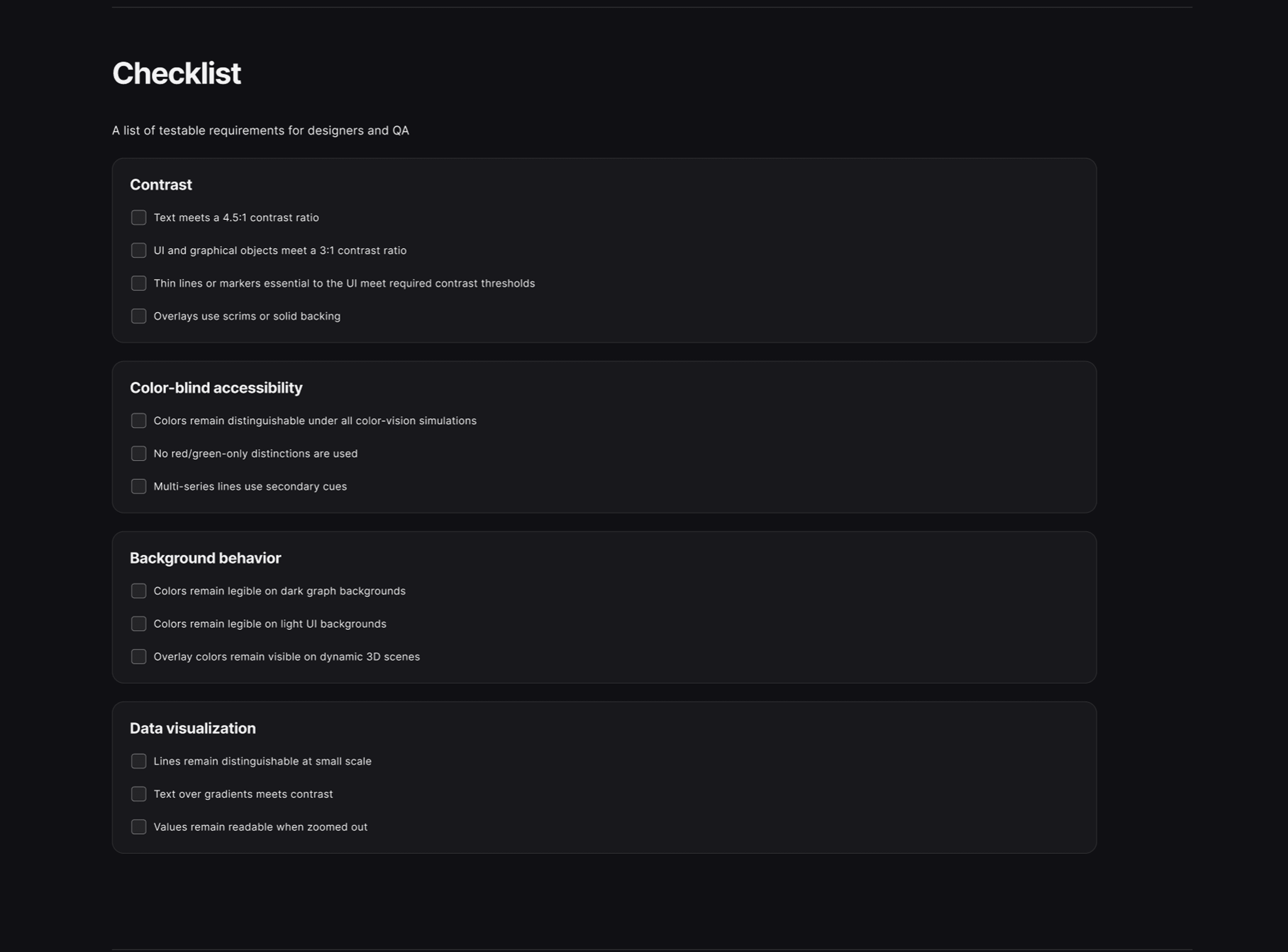
Accessibility checklist covering contrast, color-blind accessibility, background behavior, and data visualization
Turning scattered knowledge into structured guidance
The knowledge for the Accessibility Hub existed across various platforms and documents and had never been translated into actionable guidance. The content for the hub was built by synthesizing across all of it. Confluence docs, Slack threads, and recurring help requests were reviewed, consolidated, and rewritten into guidance that engineers could scan and apply under production pressure. The goal was to take knowledge that existed in fragments and give it a single, consistent structure: clear sections, testable requirements, and enough context that engineers could understand the reasoning, not just the rule.
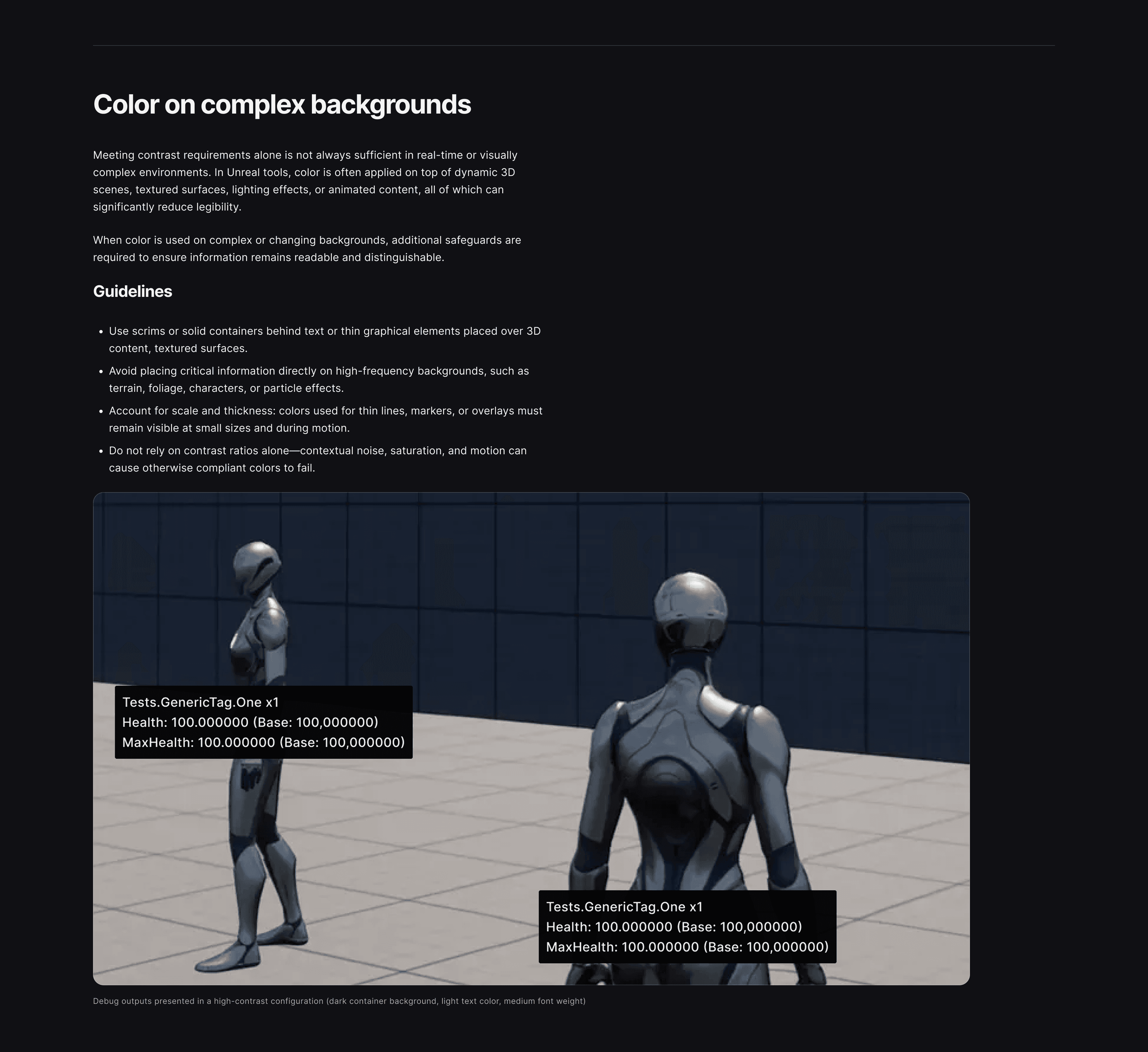
Color guidance for complex 3D backgrounds, written for engineers working with dynamic scenes and overlays
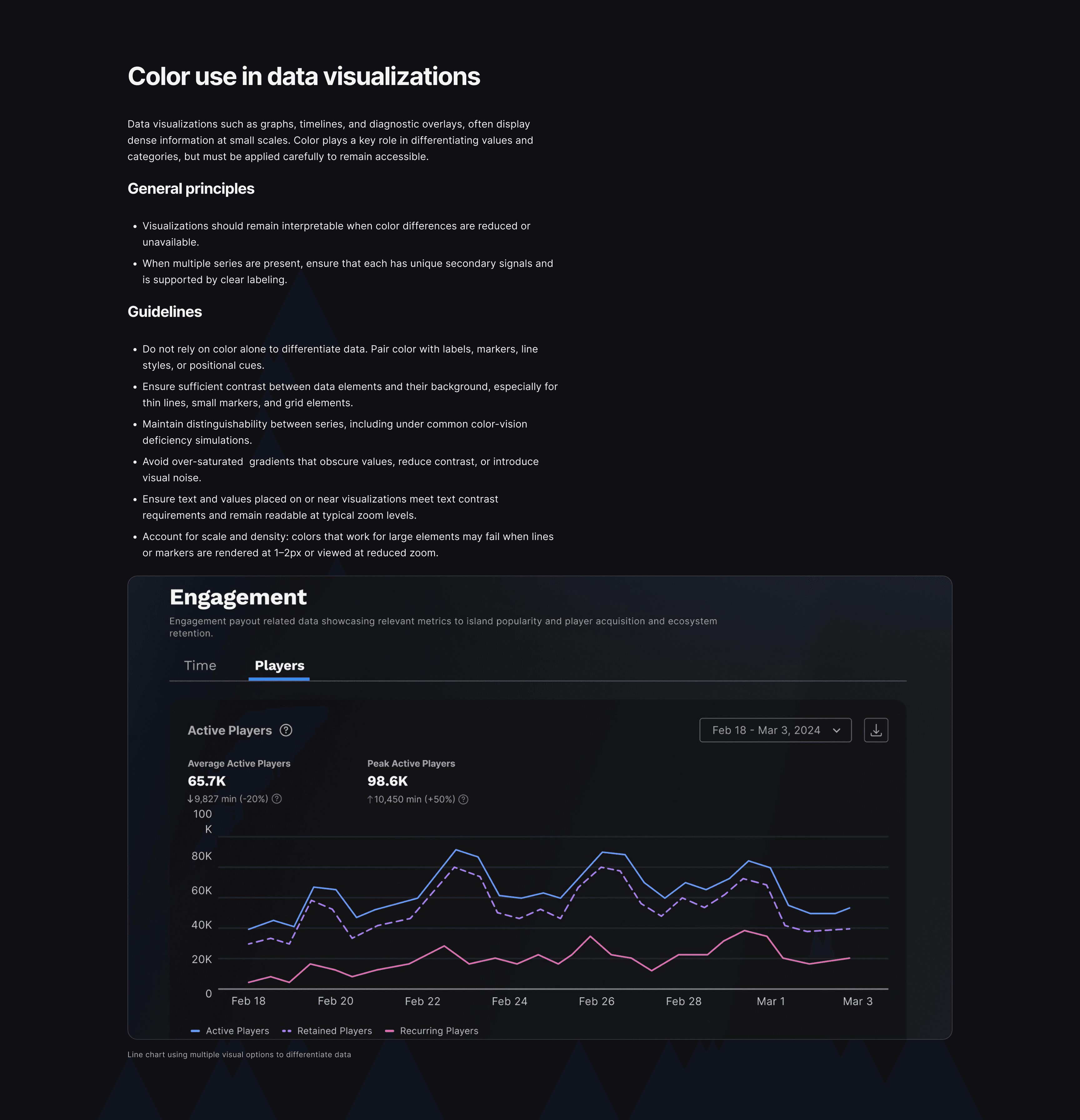
Data visualization guidance addressing color use in graphs, timelines, and diagnostic overlays
A filter taxonomy designed around real use cases
The color palette section started as a list of accessible palette options. But through direct collaboration with the technical lead, we learned of a problem the standard approach didn't solve: engineers working with graphs needed to know which colors were safe for their specific background. A palette that passed contrast requirements in isolation could still fail when rendered as a thin line on a dark graph background.
From that conversation, a filter taxonomy emerged. Four use cases: binary comparison, analogous spectrum, high-contrast ranges, and discrete categorical values — each reflecting a real pattern in how color gets used across Unreal Engine interfaces. The filter system would surface only the palette combinations relevant to the context a user was actually working in, rather than asking them to interpret a static list independently.
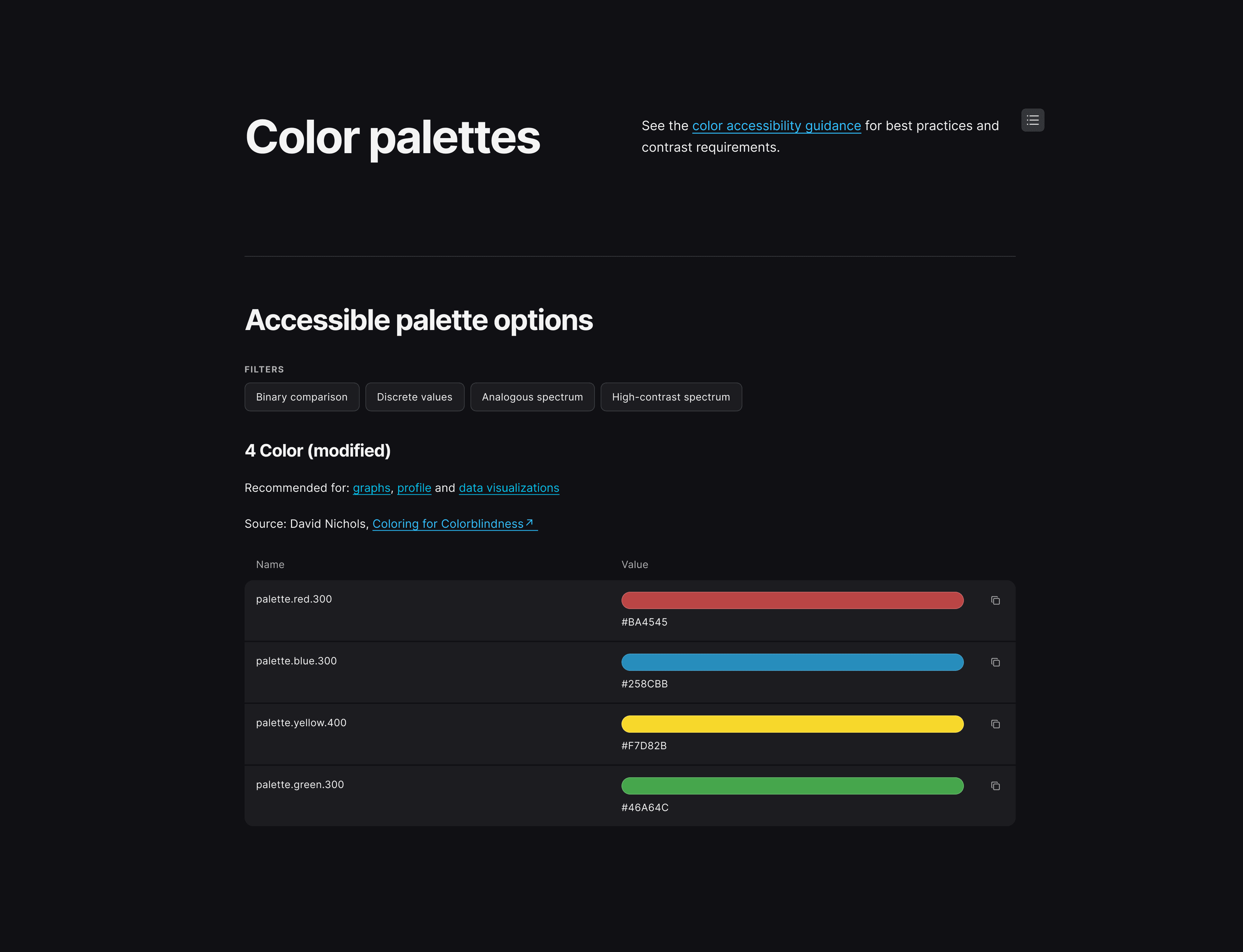
Color palettes with filter logic
The filter UI was scoped for phase 2. A functional spec was produced defining the interaction model and filter logic.
Outcome
Three sections of the Accessibility Hub launched on the EDS reference site in early 2026: color guidance, color palettes, and text guidance. For the first time, engineers and designers across Unreal Engine and Epic products had a single destination for accessibility standards — written with enough reasoning that teams could apply them under pressure, not just check a box.
The most immediate impact was on color. Engineers who had been working from inaccessible palettes now had a vetted alternative.
The filter system didn't reach production. But the thinking it requires is worth naming: documentation that encodes context, filters by use case, and embeds tools at the moment of decision is a different category from a reference page. Most design system documentation still treats accessibility as something teams look up. The Accessibility Hub was an attempt to make it something the system delivers.